Business Process Mapping Levels
Business process mapping levels show how much detail a process map includes, from high-level business views to detailed workflows and work instructions.



Business process mapping levels show how much detail a process map includes, from high-level business views to detailed workflows and work instructions.
Not every process map should look the same. A leadership team usually needs a high-level view of major business processes, while analysts and process owners often need a more detailed map with activities, decisions, and handoffs.
That is why organizations use different process mapping levels. These levels help structure process documentation so each map matches its purpose, audience, and level of detail.
In practice, the exact hierarchy varies by organization. Many teams use four or five levels, while some extend the structure further to seven or eight. What matters most is not choosing one universal model, but using a clear and consistent hierarchy that helps people understand how processes connect.
Business process mapping levels describe how detailed a process map is and where it sits in the overall process hierarchy. In simple terms, they help teams separate broad business views from detailed operational workflows.
This matters because different stakeholders need different types of process maps.
One process can be described in several ways depending on the question being asked.
For example, if the goal is to explain how a company delivers value, a high-level map may be enough. If the goal is to improve approvals in procure-to-pay, the team will need a more detailed process map that shows specific activities, decisions, and handoffs.
Using different levels helps organizations:
Without levels, process maps often become either too broad to be useful or too detailed to be easy to understand.
There is no one process hierarchy that every organization follows. Some use four levels, some use five, and some extend their structure further depending on governance needs, documentation depth, or compliance requirements.
In many practical BPM environments, teams work with a common hierarchy of four to five levels. In more mature setups, the structure may continue to Level 6 or Level 7, especially when organizations need deeper operational detail, work instructions, or system-specific process views.
The important point is not the exact number of levels. It is whether the hierarchy is used consistently and helps people move from high-level context to the detail they need.
Most organizations do not need a deeply complex hierarchy to begin with. In practice, a structure of four to five levels is common because it gives enough range to separate high-level context from detailed operational work.
At the same time, some organizations extend the hierarchy further. In SAP Signavio environments, it is possible to structure process documentation across more levels, sometimes up to Level 7, when deeper operational, compliance, or system-specific detail is needed.
This is the highest-level view of the process landscape. It shows how the organization creates value through its major management, core, and support processes.
At this level, the goal is not to explain detailed workflows. The goal is to provide context. Leadership teams and architects often use this level to understand how major business areas connect.
This level is usually not modeled in BPMN. Simpler views such as value chains or high-level process hierarchies are more common here.
A Level 0 map usually helps with:
Level 1 breaks the value chain into major end-to-end processes. These are the large cross-functional flows that matter to the business, such as order-to-cash, procure-to-pay, or hire-to-retire.
This level helps teams understand the major process boundaries and how value moves across departments. It is still relatively high-level, but more specific than the value-chain view.
Like Level 0, this level is often shown in a simple business-oriented structure rather than in full BPMN.
Typical uses include:
At this level, teams begin to break major processes into meaningful parts. A Level 2 map may show subprocesses, workflow areas, or the major stages inside a larger end-to-end process.
This level is often where process owners and business teams start to explore how the process works in more practical terms. It helps show where complexity begins without yet moving into the most detailed task flow.
In some organizations, BPMN starts to appear here, especially when the goal is to structure workflows more formally or prepare for deeper analysis.
This level is useful for:
Level 3 is where process mapping becomes operational. At this level, the map usually shows the detailed sequence of activities, decision points, handoffs, and responsibilities that explain how work actually happens.
This is often the level most people associate with business process mapping. It is detailed enough to support process discovery, analysis, and improvement, but still focused on the process flow rather than on every low-level instruction.
This is also the level where BPMN is most commonly used, because teams need a structured way to show activities, flow logic, gateways, and ownership clearly.
Teams often use this level to:
Beyond detailed process maps, some organizations continue into deeper levels of documentation. These levels may include work instructions, role-specific procedures, system navigation steps, or highly specialized subprocess views.
This is where the hierarchy becomes more flexible. Some organizations stop at Level 4, while others extend the structure to Level 5, 6, or even 7 depending on how much detail they need to manage.
At these deeper levels, teams may continue using BPMN for detailed subprocesses, or they may move into formats better suited to instructions, training, compliance, or system-specific detail.
These deeper levels are most useful when teams need:
The important point is not how many levels exist, but whether each level has a clear purpose and remains connected to the rest of the hierarchy.
Choosing the right level is one of the most important decisions in process mapping. If the map is too high-level, it may not support analysis or improvement. If it is too detailed, it can become hard to read, maintain, or use for alignment.
The right level depends on what the map needs to help with, who will use it, and how complex the process is.
A process map should support a specific decision or outcome. That is why the first question is not how many levels exist, but what the map needs to help people do.
For example, a high-level map may be enough to support:
A more detailed map may be needed to support:
The more operational the decision, the more detailed the map usually needs to be.
Different audiences need different levels of process detail. A process map that works well for one group may be too abstract or too detailed for another.
Typical audience needs include:
A useful map is not the most detailed one. It is the one that fits the audience well enough to support understanding and action.
Some processes are simple enough to be understood in one map. Others span multiple teams, systems, and decision points, which makes a single-level view insufficient.
As complexity increases, teams usually need to move through several levels. A high-level map provides context, while lower-level maps show the detail needed to analyze or improve the process.
This is especially important when the process includes:
In these cases, strong mapping usually means linking levels together rather than forcing everything into one diagram.
A common mistake is trying to use the same process map for every audience and every objective. This usually creates a map that is too broad for operational work and too detailed for strategic discussion.
Strong BPM teams avoid that by treating process mapping levels as part of the process hierarchy, not just as different diagram styles.
The goal is not to choose the “best” level once. It is to choose the right level for the job and make sure the hierarchy stays clear and consistent.
BPMN is not a process hierarchy by itself. It is a notation standard used to model processes in a structured way. That is why it should not be confused with process levels.
Process levels describe how much detail a map contains. BPMN describes how the map is represented.
At the highest levels of the hierarchy, teams usually need simple business views. These maps help leaders and process owners understand how major processes connect, but they do not need detailed flow logic.
BPMN becomes more useful as the map moves closer to operational work. It is most often used where teams need to show:
In practice, that usually means Level 2, Level 3, and sometimes Level 4, depending on how the organization structures its hierarchy.
High-level process views are meant to simplify, not to model every workflow detail. A value chain or end-to-end process view usually works better with simpler visual structures.
If BPMN is used too early in the hierarchy, the map may become harder to read than necessary. That can make it less useful for leadership communication, process ownership discussions, or high-level alignment.
This is why many organizations reserve BPMN for the levels where flow logic needs to be explicit.
BPMN adds the most value when the process map needs to support analysis, redesign, or implementation work. At that point, teams need more than a simple overview. They need to understand how work actually moves through tasks, decisions, and roles.
That is especially important when the process will be used for:
In these cases, BPMN provides a more precise and structured way to model the process than a simple flowchart or high-level hierarchy alone.
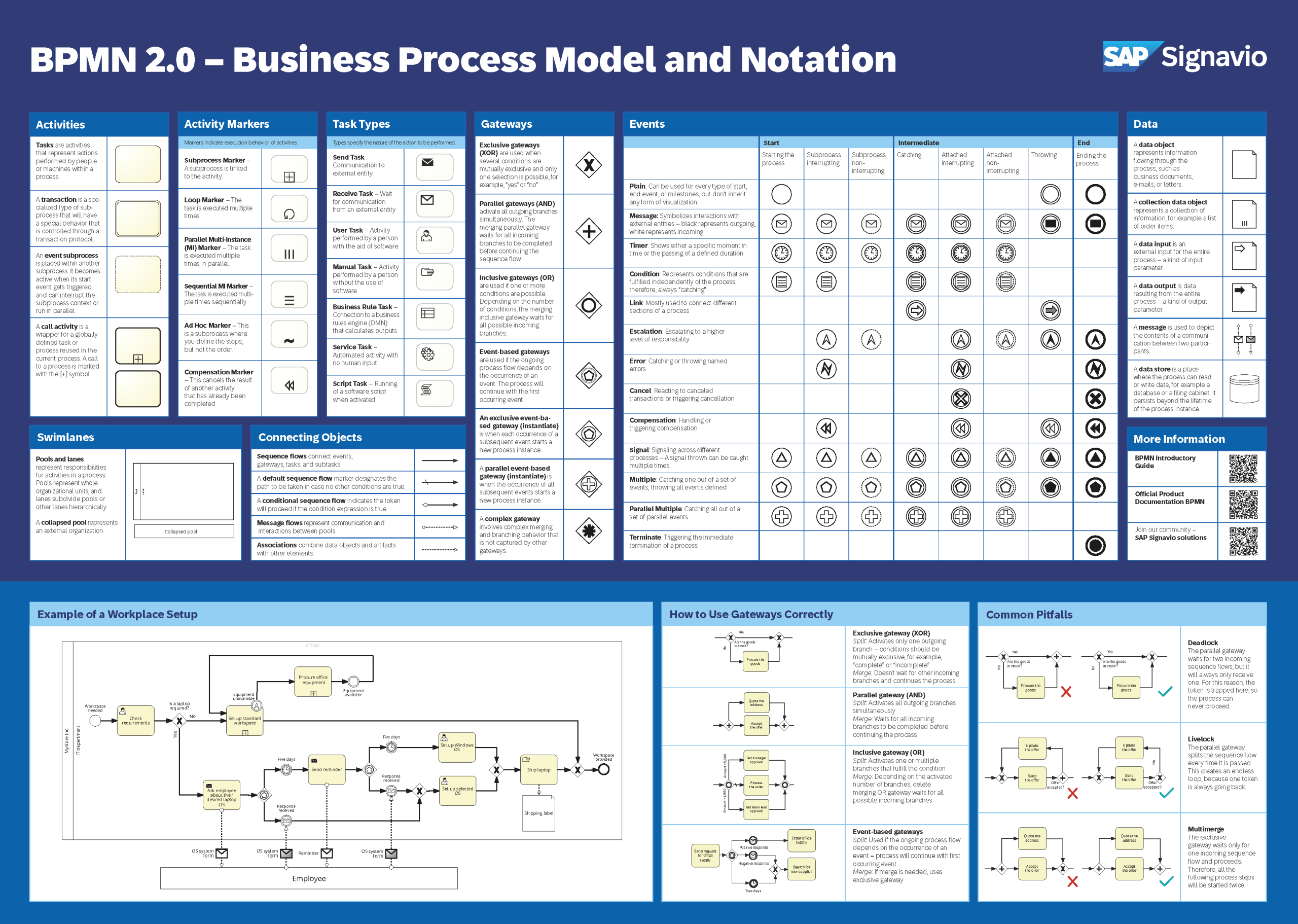
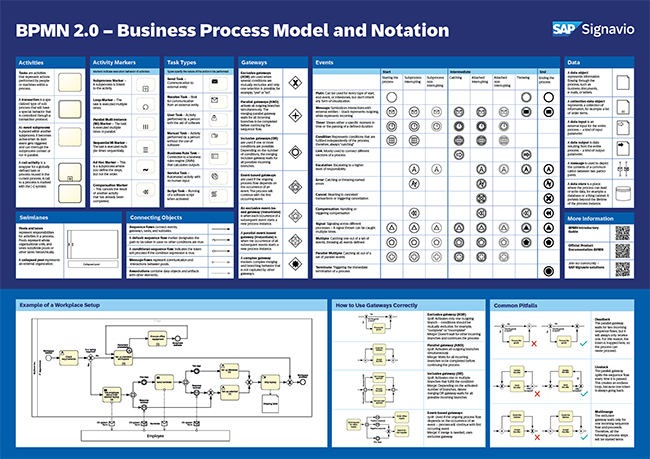
Get a BPMN 2.0 overview poster with the various graphical elements, examples of applications, and their meaning.